
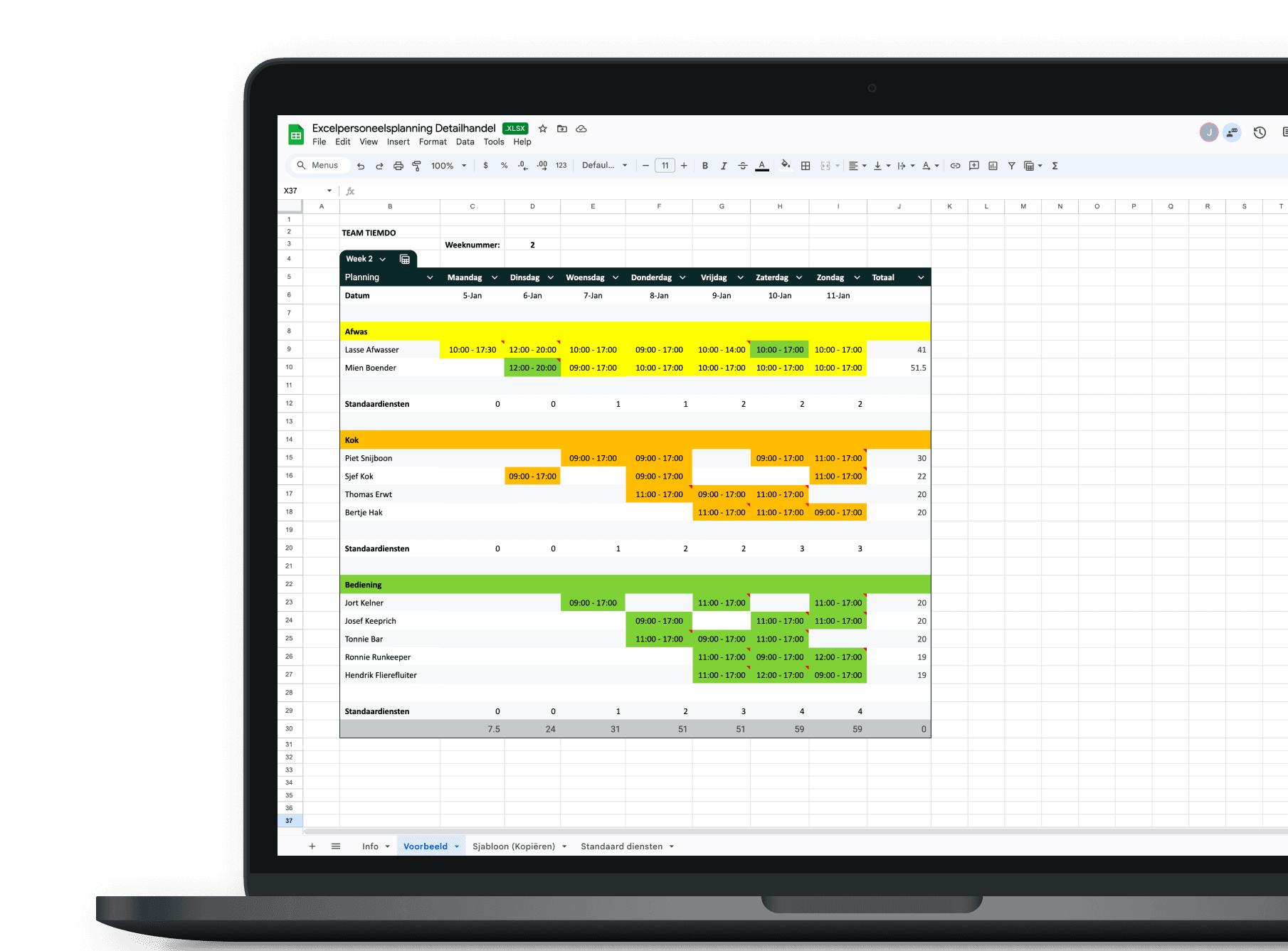
Many hospitality business owners use Excel for staff scheduling. Excel is clear, flexible and easy to adjust when changes occur. By using a separate worksheet for each week, you can instantly see who is working and when.
An Excel staff schedule is easy to share with your team, for example via Google Drive or a group chat. This way, everyone can view the schedule whenever needed. Make sure employees only have read-only access to prevent accidental changes.
Staff scheduling in Excel is often customised, but keeping it simple is key. Less is more. That’s why Tiemdo Workforce Planning has developed a free Excel staff scheduling template for hospitality. With this Excel planning tool, you can not only schedule employees, but also keep track of working hours.
Tiemdo Excel staff planning for hospitality
With the Tiemdo Excel free staff planning template for hospitality, you can quickly and clearly schedule your team. The weekly overview runs from Monday to Sunday, and employees can be scheduled by (sub)department, such as:
kitchen
dishwashing
service staff
*) Additional departments can be added easily.
Planned working hours are immediately visible, allowing you to see at a glance how many hours are scheduled for the week in your hospitality Excel roster. Predefined standard shifts are included, helping you understand how many staff members you typically need. These shifts can easily be adjusted or removed.
Entering working hours is quick, and the schedule can be shared easily with your team. The Excel planning template for hospitality also includes a separate information sheet with clear instructions, so you can get started right away. This makes staff scheduling in Excel for hospitality simple, clear and efficient.
Make hospitality staff scheduling easy. Download the free Tiemdo Excel staff planning template here.