
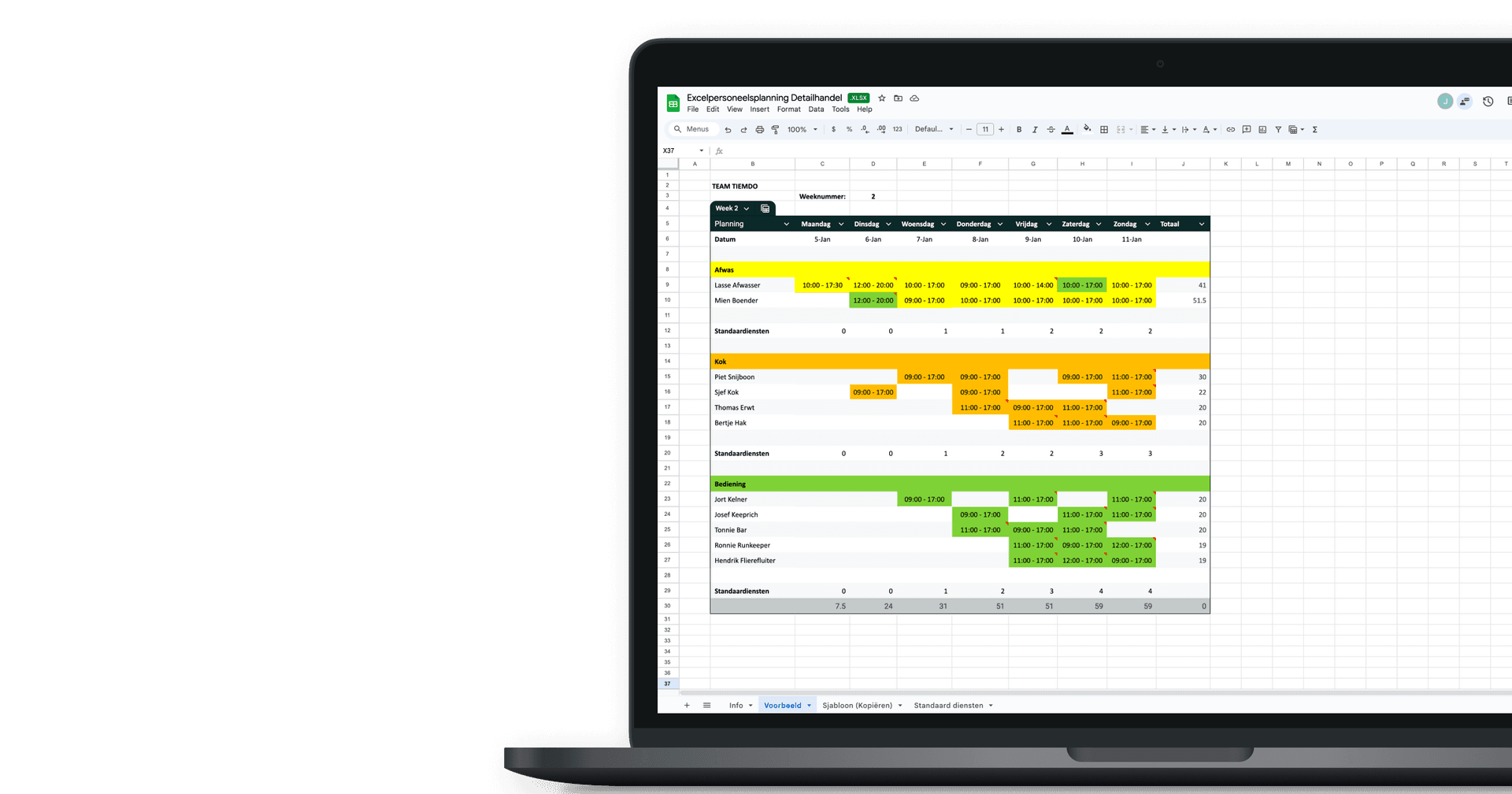
Using Excel for staff scheduling is a popular choice among retail business owners. A staff roster in Excel allows you to plan quickly, make changes easily and maintain a clear overview on the shop floor. By using a separate worksheet for each week, you can instantly see which retail employees are scheduled and when they are working.
An Excel staff roster for retail is also easy to share with your team. By using Google Drive or a shared folder, employees can always view the schedule, even on their mobile devices. To avoid mistakes, it is recommended to give staff read-only access so the Excel roster cannot be edited unintentionally.
Staff scheduling in Excel for retail works best when it is simple and well-structured. A clear roster prevents misunderstandings and saves time. With this in mind, Tiemdo Workforce Planning has developed a free Excel staff planning template for retail. This Excel roster helps you schedule employees efficiently while also keeping track of worked hours and improving overall workforce planning.
Tiemdo Excel staff planning for retail
With the free Tiemdo Excel staff scheduling template for retail, you can quickly and easily create a clear staff schedule for your store. In this Excel roster, you schedule your retail employees on a weekly basis, from Monday to Sunday. Staff members can be assigned by department or role, such as sales, checkout or warehouse. Additional departments can be added quickly and easily.
Planned working hours are calculated automatically in the Excel staff schedule. This allows you to see at a glance how many hours are scheduled per week and maintain control over your workforce planning. Predefined standard shifts help you estimate your usual staffing needs. As store traffic varies throughout the week, some days require fewer staff members than busier peak days. These standard shifts can be fully adjusted or removed to match your store’s situation.
Entering working hours is fast and the Excel staff roster can be shared easily with your team. The Excel staff planning template for retail also includes a separate information sheet with clear instructions, allowing you to get started right away. This makes staff scheduling in Excel for retail simple, efficient and practical.
Want to simplify staff scheduling in retail? Download the free Tiemdo Excel staff planning template here.